Q&A is being removed
You can no longer write your own questions and answers. Google’s AI answers questions about you instead, from your profile, reviews and website.
Set your Google Business Profile up properly in an afternoon, then keep it right in 15 minutes a month.
A step-by-step UK guide with a workbook, checklist, review templates and AI prompts. Every feature and rule is checked against Google’s own help pages, and there are no made-up statistics.
Google changed a lot in the last year. The chat button has gone, Q&A is going, the review rules are stricter and verification is often a video now. A profile set up a couple of years ago, or from an old guide, can miss all four.
I went through a ready-made guide that’s sold widely online. It still told people to use a chat feature Google switched off in 2024, quoted the wrong description length and was full of statistics I couldn’t trace. So I wrote this one from Google’s own pages, in plain English, for UK businesses. It covers UK review law, UK bank holidays, pounds, not dollars, and every type of small business, not just cafés.
You can no longer write your own questions and answers. Google’s AI answers questions about you instead, from your profile, reviews and website.
Some profiles can now add WhatsApp or text messaging, in selected regions only.
Google now bans staff review targets and asking for reviews that name staff. UK law has banned fake and hidden incentivised reviews since April 2025.
Often by filming a video in the app. Many old guides still say “wait for the postcard”.
What’s in it, how the monthly routine works and how to get it. The words are on screen, so it makes sense with the sound off too.
Everything downloads straight after you pay.
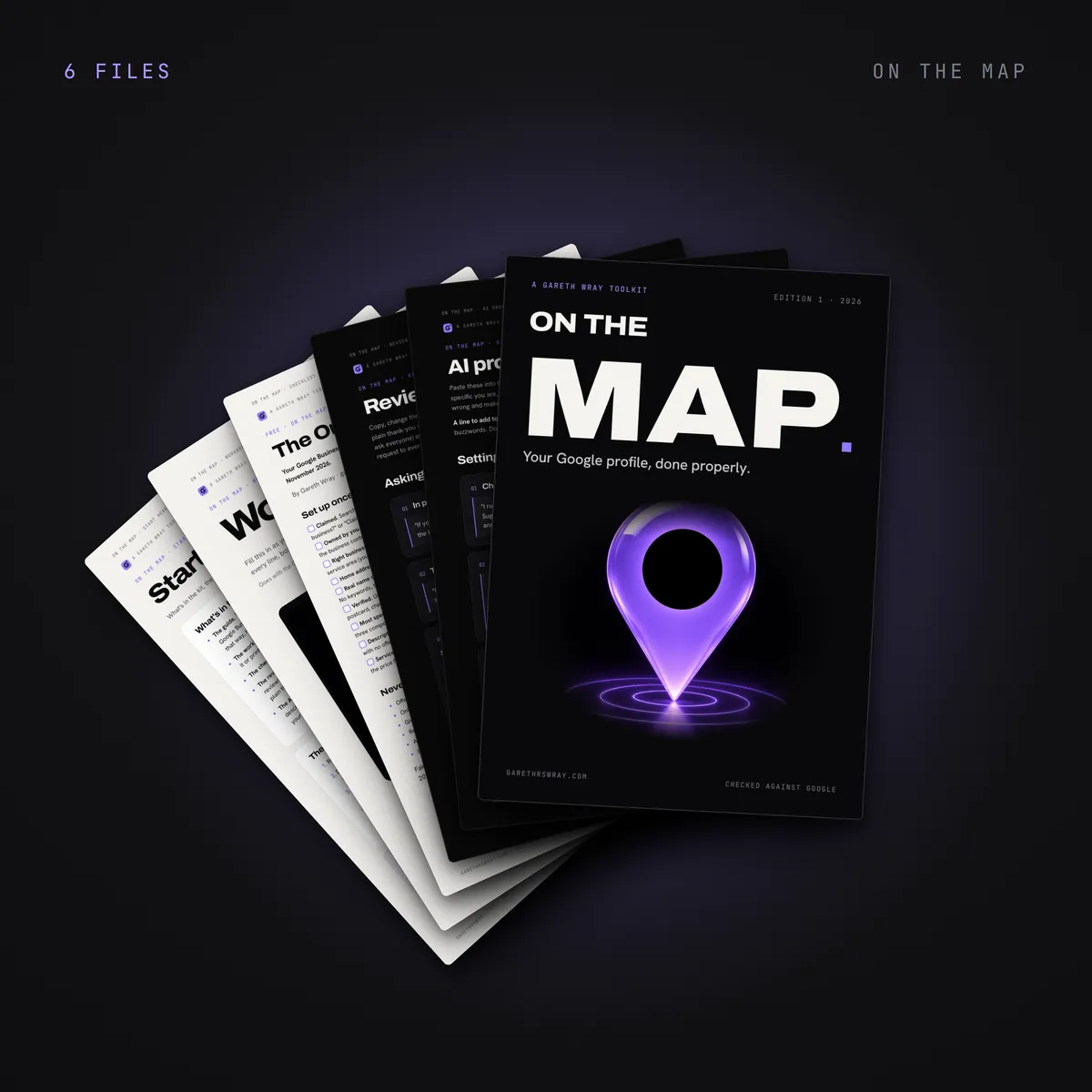
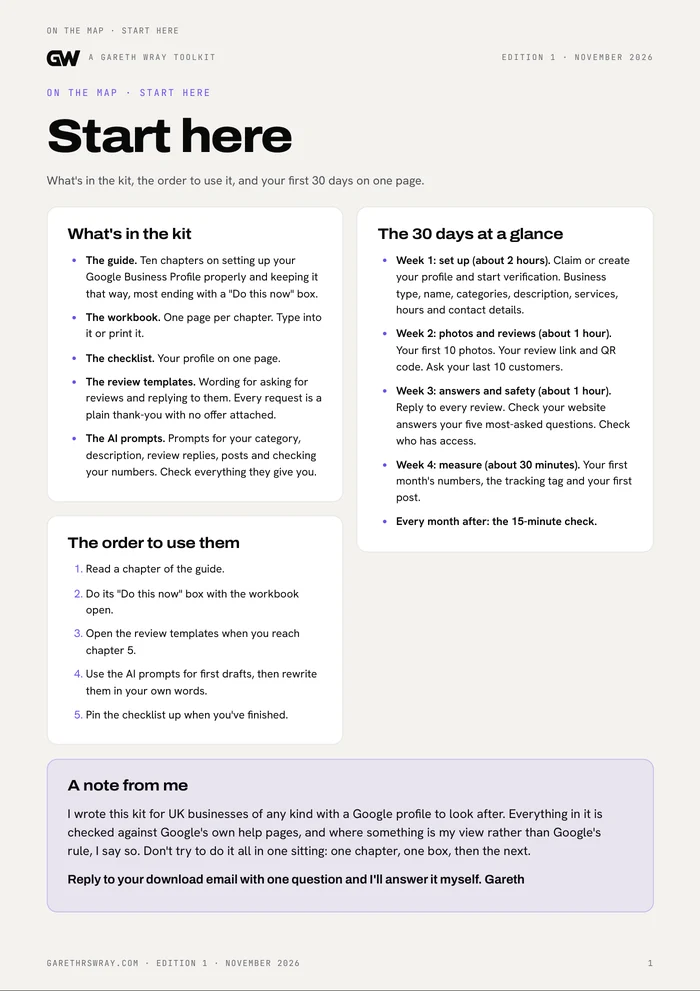
A one-page map of the kit and your first 30 days.
Set-up, every field, photos, reviews the UK way, posts, AI answers, measuring and keeping it safe.
Type straight into it or print it. One section per chapter, so you do each step as you read it.
Everything to check on one sheet, plus the list of things never to do.
Asking by text, email, WhatsApp and in person, plus replies to good, mixed and bad reviews.
Drafting your description, services, replies and website answers, with a line that stops AI making things up.
The Start here card is a one-page map of the kit: what each file is for, the order to use them and your first 30 days. Read it first and you’ll know where to begin.
The guide and workbook covers carry your name, so it reads as your copy, ready to print or keep on screen.
Every file was opened and tested on 1 November 2026. The workbook fills in on screen, or print it.
Tap any page to see it full size. Want a free sample first? Get the one-page checklist.
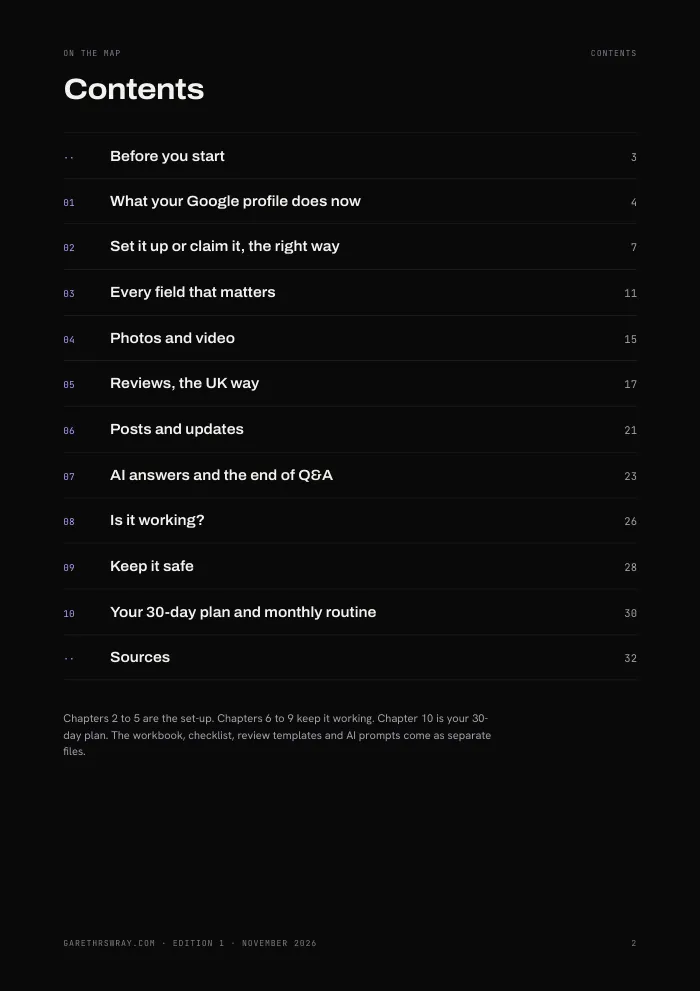
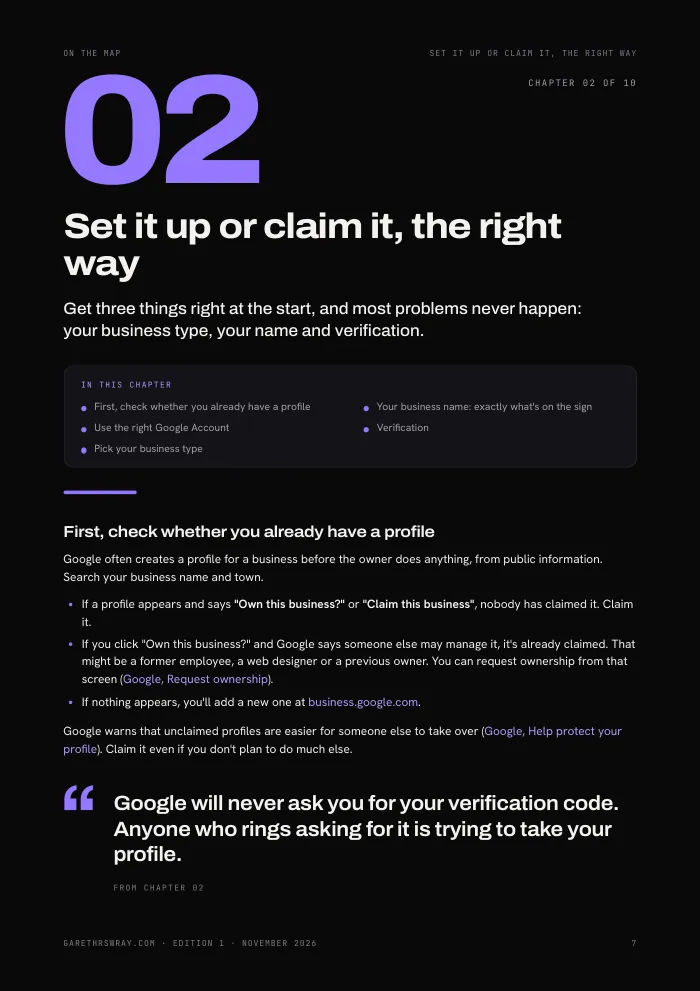
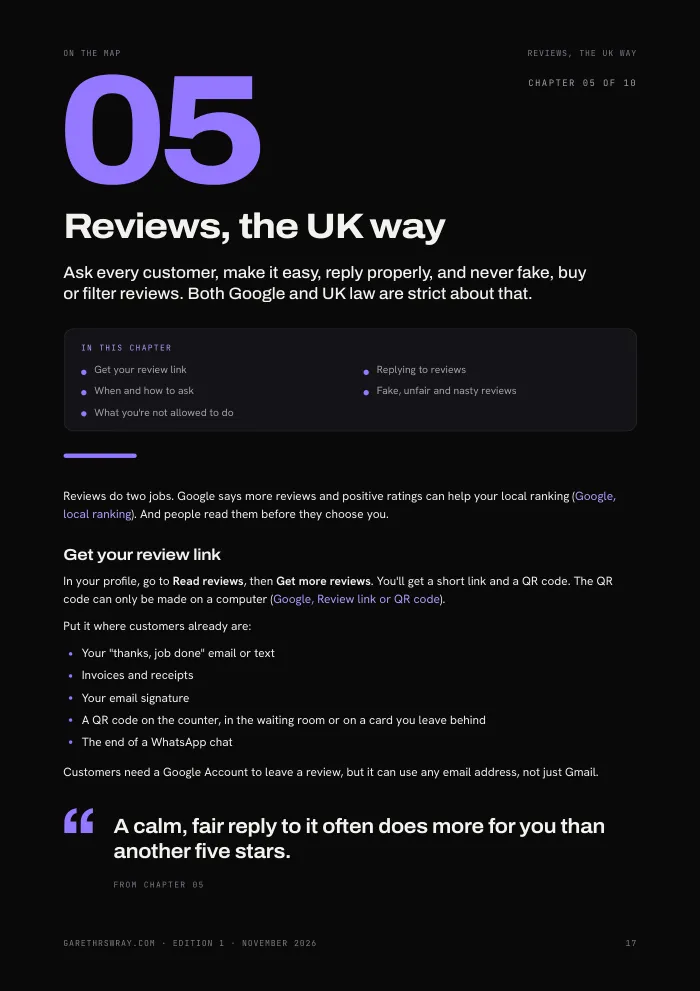
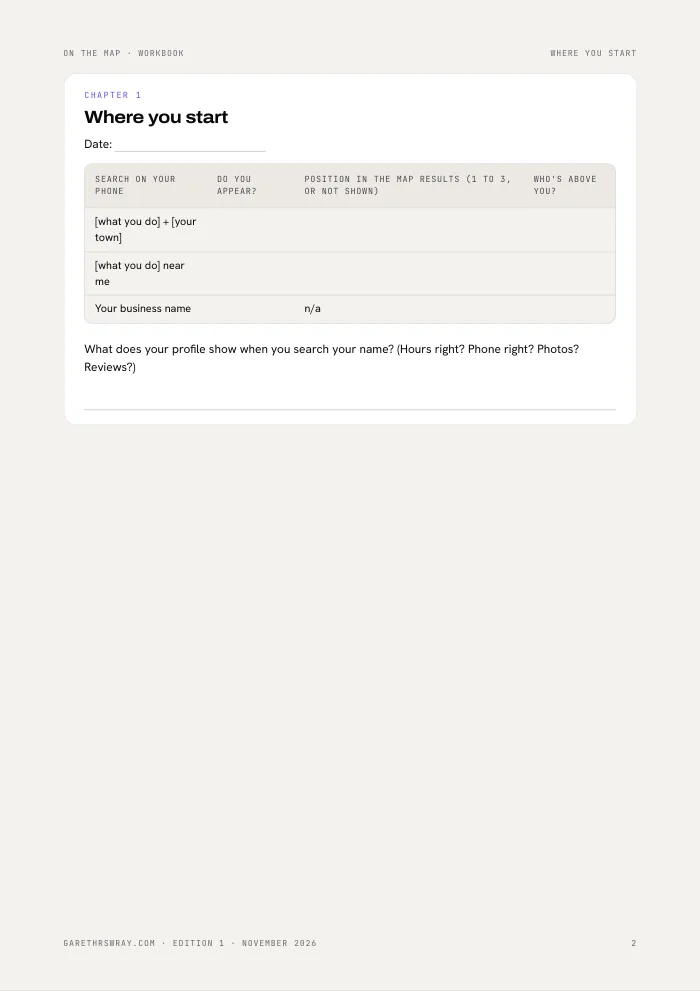
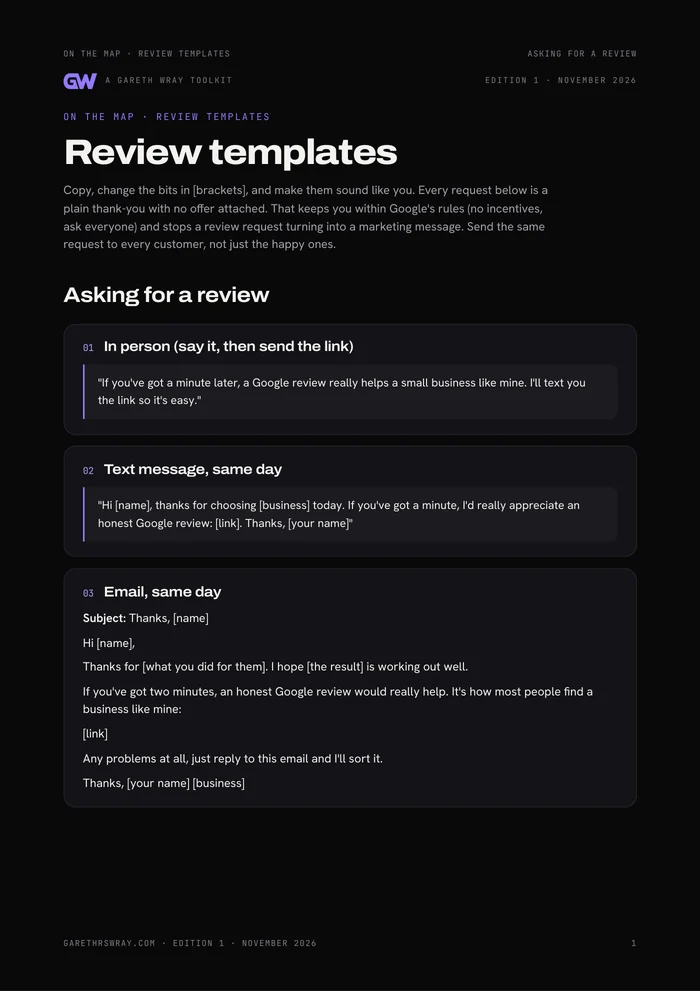
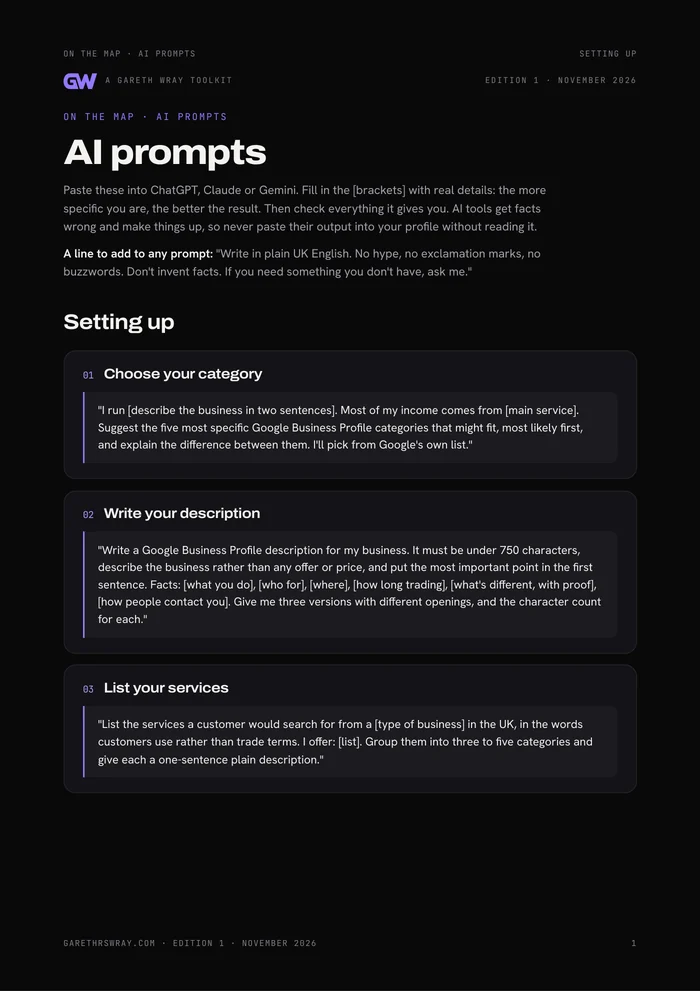
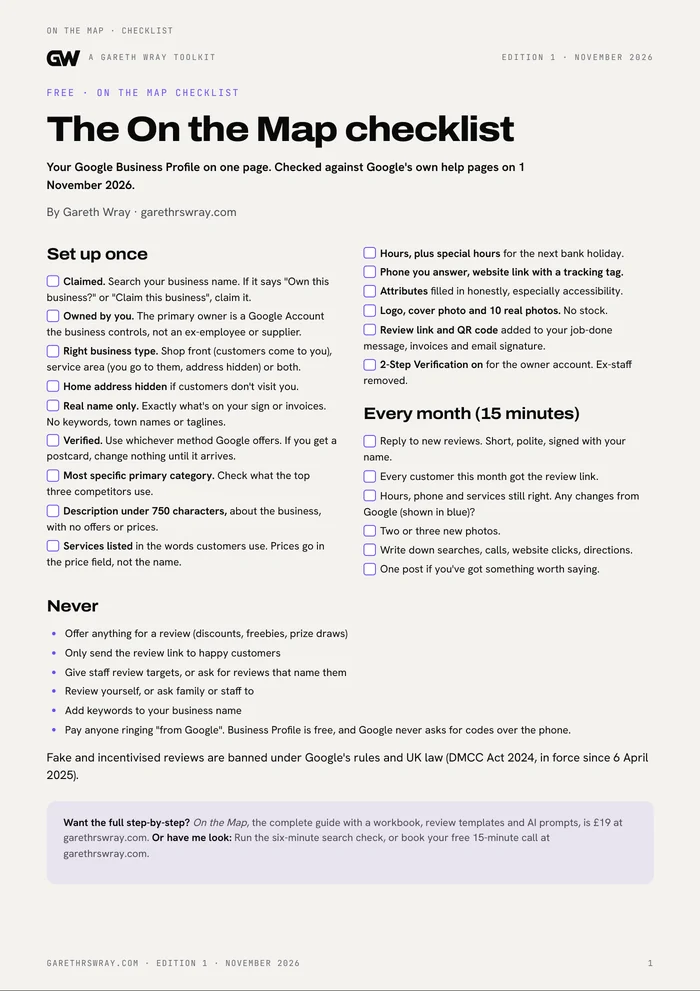
Chapters 2 to 5 are the set-up. Chapters 6 to 9 keep it working. Chapter 10 is a 30-day plan.
Under each chapter: what you’ll be able to do when you finish it. Every chapter ends with a short “Do this now” list.
See what customers see first: often your profile, before your website and before they ring.
Get your business type, name and verification right at the start, so most problems never happen.
Fill in everything that’s true and nothing that isn’t, using Profile strength to find what’s missing.
Add real photos that show people you’re genuine and what to expect.
Ask every customer, make it easy, reply properly, and stay inside Google’s rules and UK law.
Use posts for news, offers and events, without counting on them for rankings.
Get your profile, reviews and website ready for Google’s AI answering questions about you.
Check four numbers once a month and know whether your profile is doing its job.
Keep ownership in your own hands, keep access tight, and hang up on anyone selling “Google” placement.
Set up in one afternoon and a few short sessions, then keep it right in 15 minutes a month.

Marketing consultant with 12 years in sales. I build and run websites, search and follow-up for small UK businesses, so these toolkits are the steps I use, written down. I went through Google’s set-up and video verification on my own profile this autumn, so the steps come from doing it, checked against Google’s help pages.
More about meRather I did it for you? Book a free 15-minute call.
Give me your first name and the email to send it to. It’s free: no card and no trial.
The download link arrives in a minute or two, with your name on the guide and workbook covers. It works for 30 days, and you can ask for a fresh one any time.
Read the Start here card, follow the 30-day plan, then keep your profile right with a 15-minute monthly check.
Tell me where to send it. The download link comes to your inbox in a minute or two, with your name on the guide and workbook covers.
Your download link for On the Map is on its way to your inbox. It usually arrives in a minute or two. If it hasn’t, check spam or promotions, then email [email protected].
The link works for 30 days. After that, ask for a fresh one on the download page.
When something that matters changes, I update the files and list the change here. Your download link always gives you the latest edition.
Something else? Email [email protected] or call 07521 931159.
Yes. Every feature, limit and rule was checked against Google’s own help pages on 1 November 2026, and the date is printed on the cover. When Google changes something that matters, I update the toolkit and list the change in the Editions box on this page. Your download link always gives you the latest edition.
No. If you can use email and take a photo on your phone, you can do everything in it. Set-up takes an afternoon, then about 15 minutes a month.
Nobody honest can promise that. Google says local results are based on relevance, distance and prominence, and that you can’t pay for a better ranking. The guide covers everything you control. Where the claim is my view rather than Google’s rule, I say so.
Any UK small business with a Google Business Profile, or one that should have one. That means a shop or café, an office people visit, a business run from home or one that goes out to customers. Where the steps differ, the guide says so.
Yes. It’s for you and your business, so anyone in the business can use it, and you can copy and print the files as much as the business needs. Please don’t share, resell or publish them outside it. The terms for downloads say the same.
Email me and I’ll fix it or send it another way. Your download link is in your email, and you can ask for a fresh one from the download page with the email address you used.
When something that matters changes, I update the files and list what changed in the Editions box on this page. Your download link always serves the latest edition, and if it has expired you can ask for a fresh one with the email address you used.
Yes. You give me your first name and an email address, and I email you the download link. No card, no trial. There’s a box to tick if you’d like occasional emails from me about marketing; it’s up to you, and you get the toolkit either way.
The free one-page checklist tells you what to check. The toolkit explains how to do each step, with the workbook to fill in as you go, 15 review templates and 17 AI prompts.
The toolkit is my method, written down for you to do yourself, free. If you’d rather I did the work, book a free 15-minute call and I’ll look at your profile with you first.
Six PDFs. They work on a phone, tablet or computer, and the workbook fills in on screen or prints. Your name is on the guide and workbook covers.
Free, 15 minutes, no pitch. I’ll search your business before we speak.
Free call with Gareth
15 minutes · Google Meet
Pick a day
Pick a time
Loading free times…
No free times in the next three weeks. Email [email protected] and I'll find one.
The invite with the Google Meet link is on its way to your inbox. I'll look you up before we speak.
Need to move it? Use the link in the invite, or email [email protected].
Rather talk now? Call 07521 931159 or email [email protected].
 Pick a time
Can I use Google Analytics cookies to see which pages help? Nothing is set unless you say yes. How I use them