Google says it’s still SEO
AI Overviews and AI Mode use the same index and ranking systems. Google says there’s nothing extra to do for them: no special schema, no llms.txt.
Find out if ChatGPT, Google’s AI Mode and the rest name your business when buyers ask, fix what you control, then check it in 30 minutes a month.
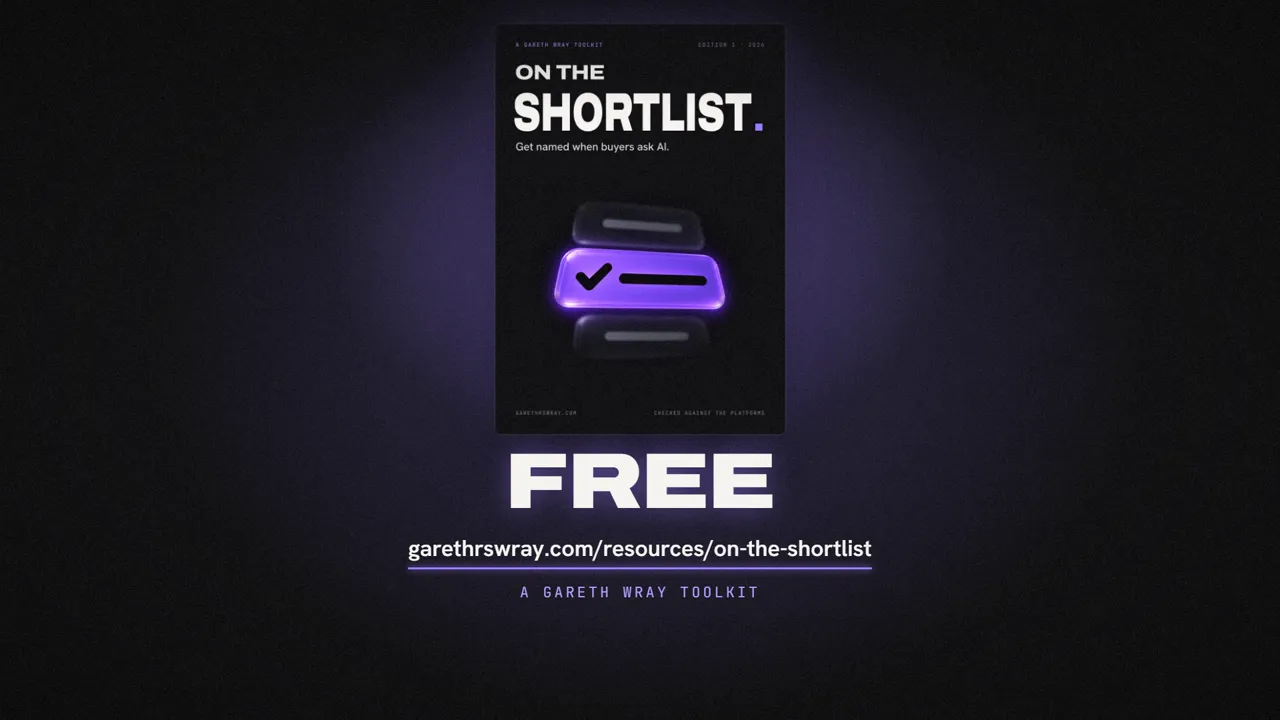
A step-by-step UK guide with a tracker, workbook, templates and prompts. Every rule is checked against the platforms’ own pages.

962 of 1,253 Suffolk firms in six sectors weren’t named by ChatGPT, Gemini or Google AI Mode.
September 2026 · My own test · Read the Suffolk study
Ask ChatGPT who’s a good commercial electrician in Ipswich and you won’t get ten blue links. You’ll get three to five names. That short list is the new page one, and plenty of the Suffolk firms left off it were good, busy businesses.
Meanwhile, people are selling llms.txt files, “AI schema” and pages for every town. Google says most of that does nothing. This toolkit sticks to what the platforms themselves say, what my own testing shows, and a way to measure it that copes with AI answers changing every time you ask.
AI Overviews and AI Mode use the same index and ranking systems. Google says there’s nothing extra to do for them: no special schema, no llms.txt.
Settings, Search generative AI. Include is the default. Worth checking nobody has switched it off.
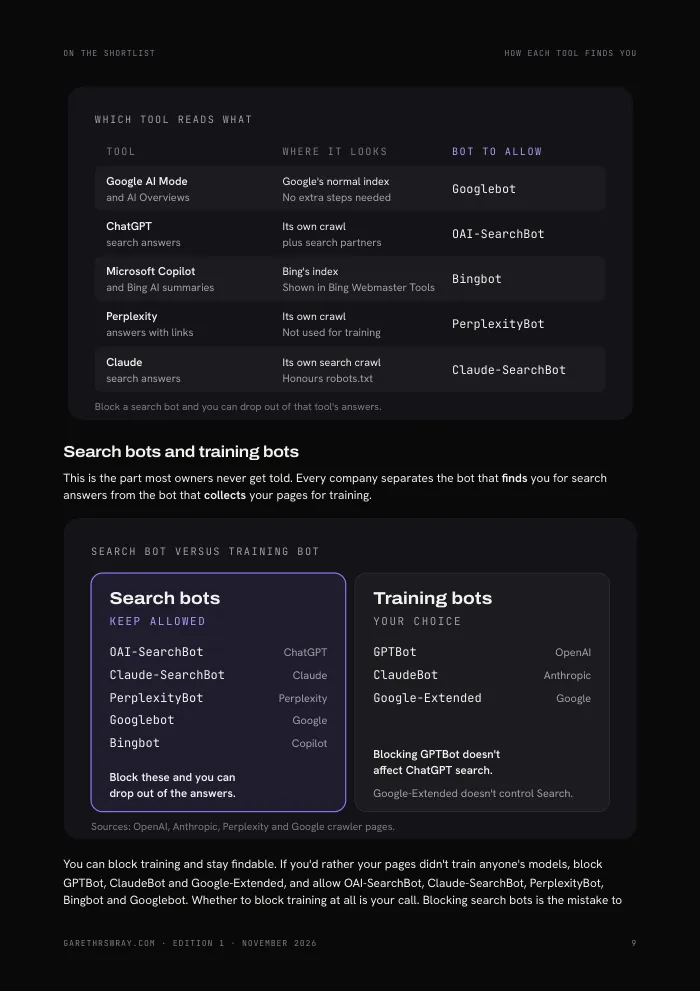
Each AI company runs a search bot and a training bot. Block the search one and ChatGPT search can’t show you.
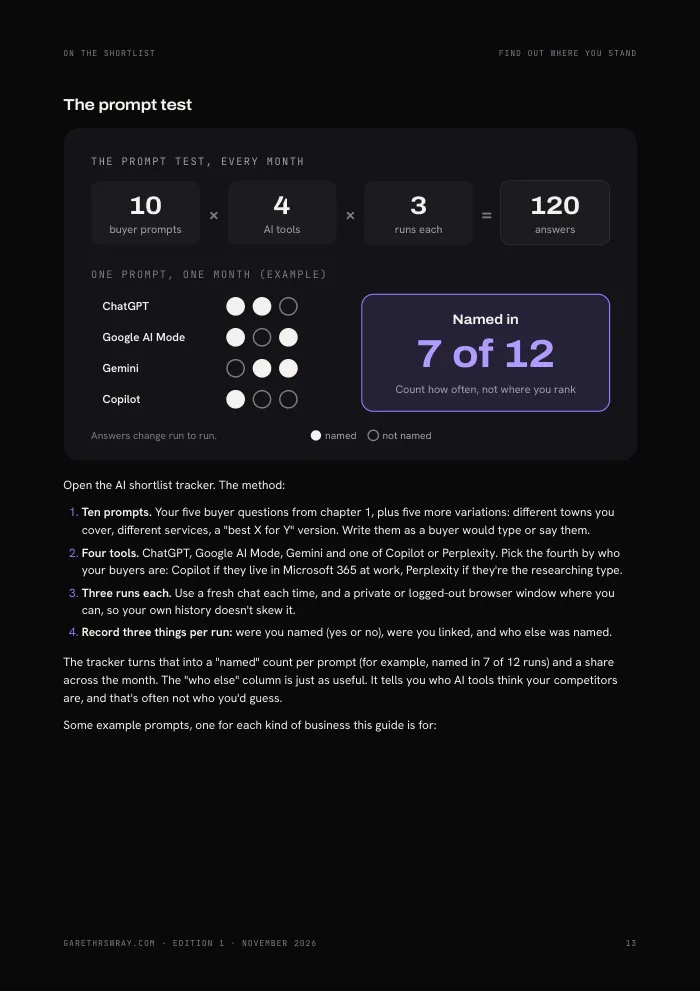
Ask the same question twice and you’ll often get different names. Count how often you’re named across runs instead.
What’s in it, how the monthly check works and how to get it. The words are on screen, so it makes sense with the sound off too.
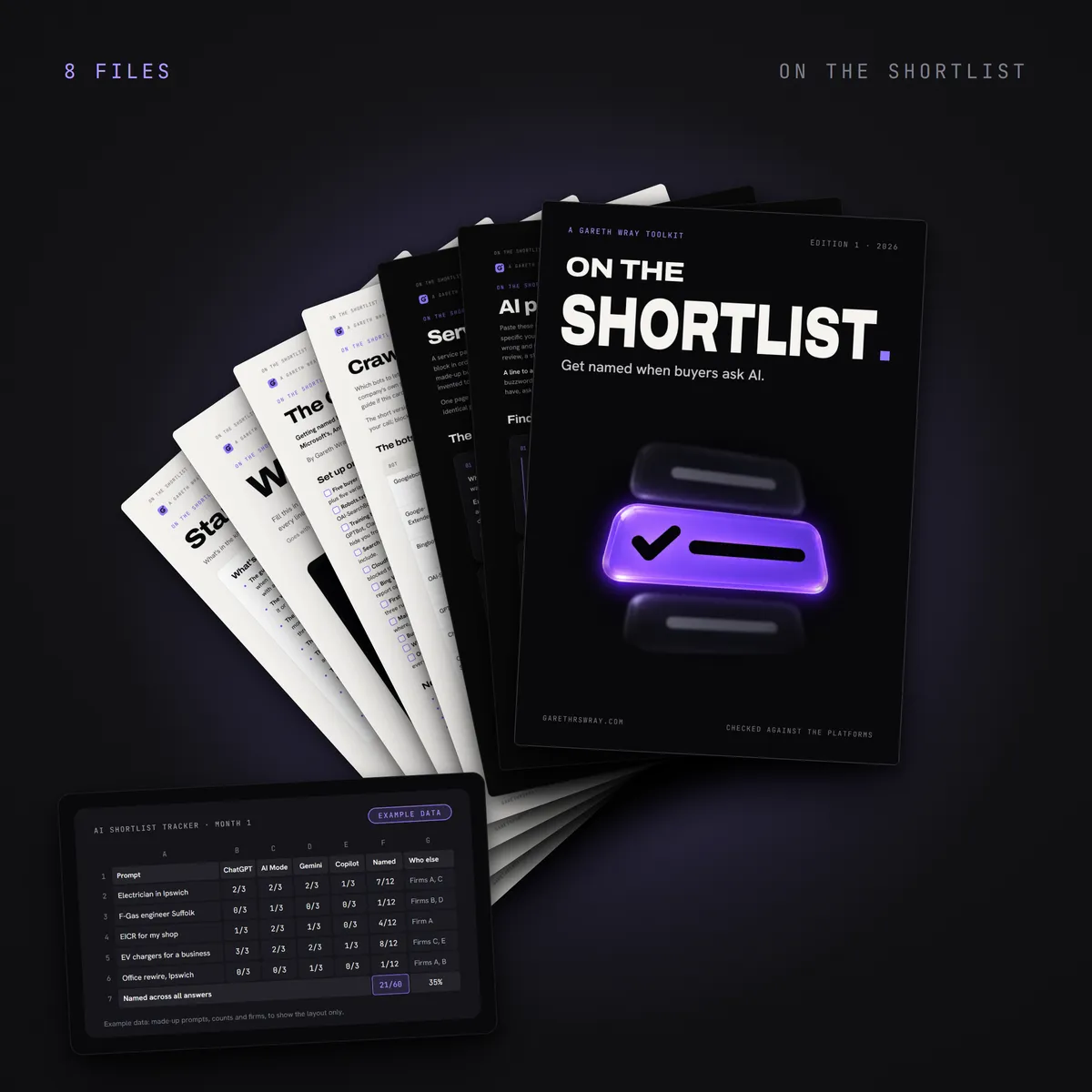
Everything downloads straight after you pay.
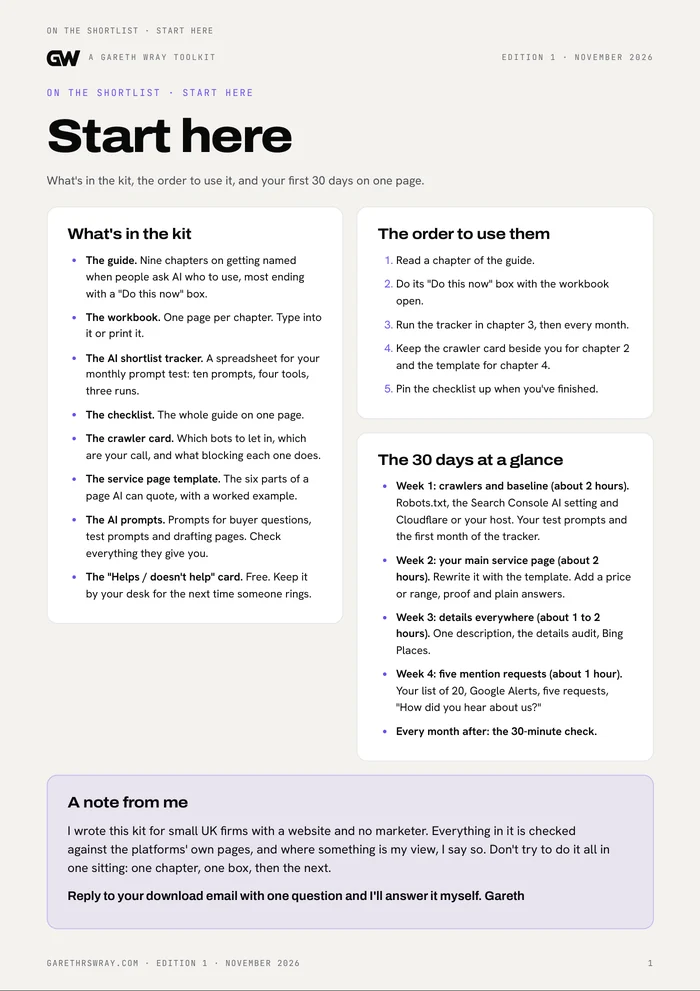
A one-page map of the kit and your first 30 days.
How each AI tool finds you, the monthly prompt test, pages AI can quote, your details everywhere, clean mentions and what not to pay for.
Ten prompts, four tools, three runs each. It counts how often you’re named and who gets named instead. Works in Excel and Google Sheets.
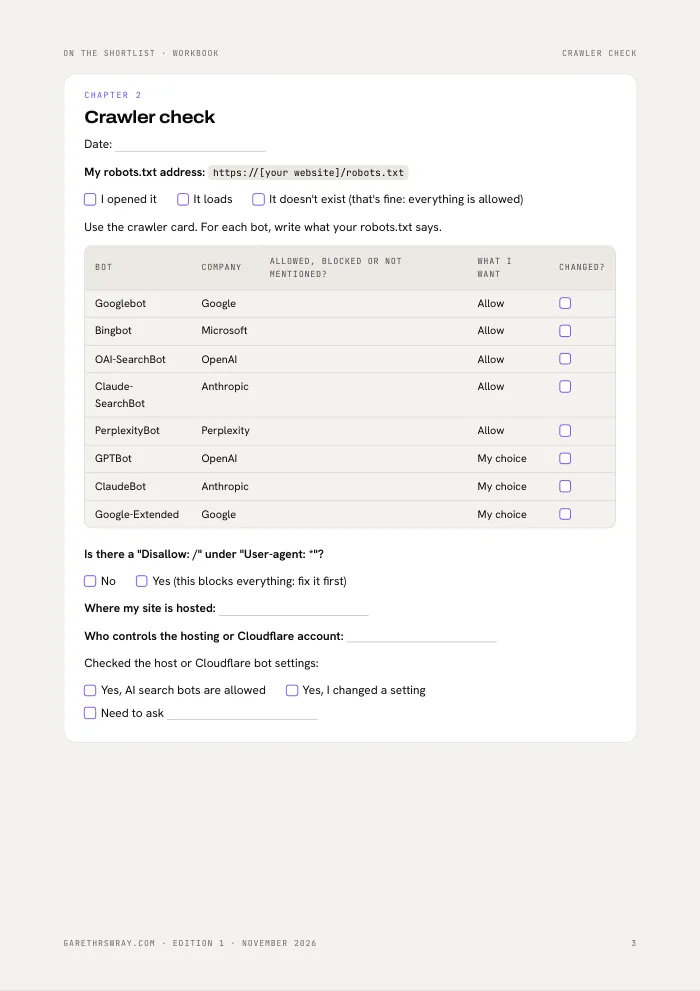
Type into it or print it. One section per chapter, so you do each step as you read it.
What to set up once, what to check every month, and what never to do.
Which AI bots to let in, what blocking each one does, a sample robots.txt and the Cloudflare setting to check.
A page a buyer and an AI tool can both understand in ten seconds, with a worked example.
Prompts for finding buyer questions, running the prompt test and checking your pages.
The Start here card is a one-page map of the kit: what each file is for, the order to use them and your first 30 days. Read it first and you’ll know where to begin.
The guide and workbook covers carry your name, so it reads as your copy, ready to print or keep on screen.
Every file was opened and tested on 1 November 2026. The workbook fills in on screen; the tracker works in Excel and Google Sheets.
Tap any page to see it full size. Want a free sample first? Get the Helps / doesn’t help card.
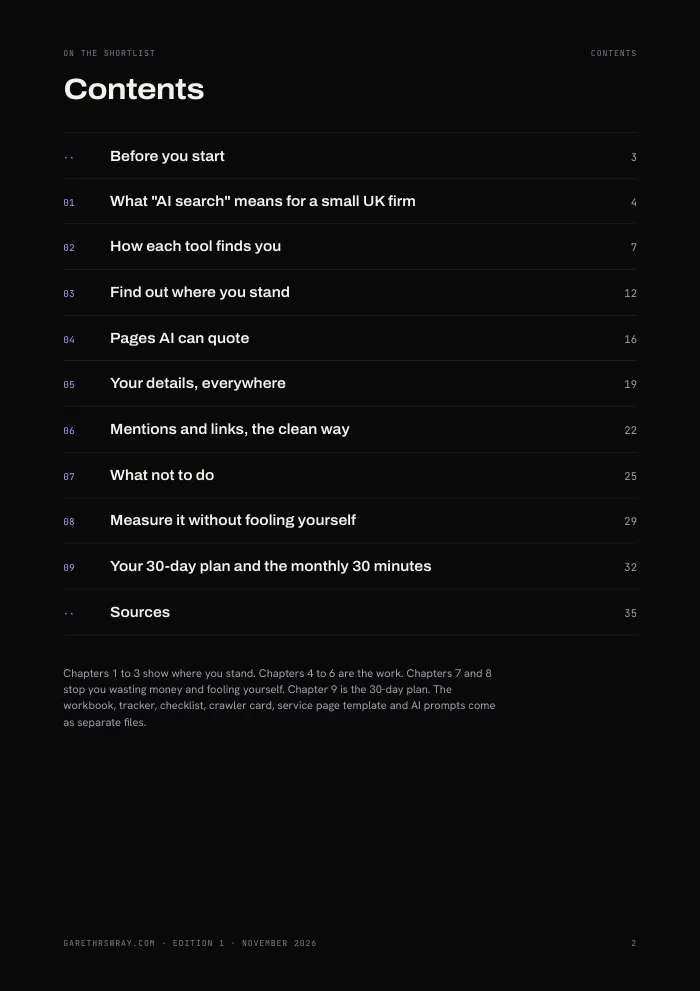
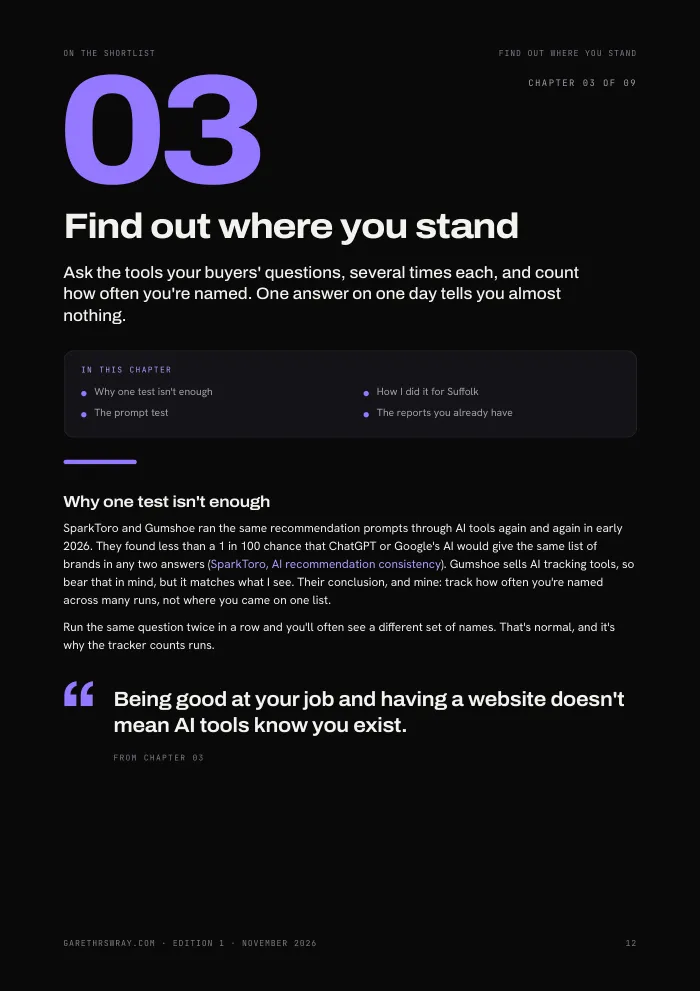
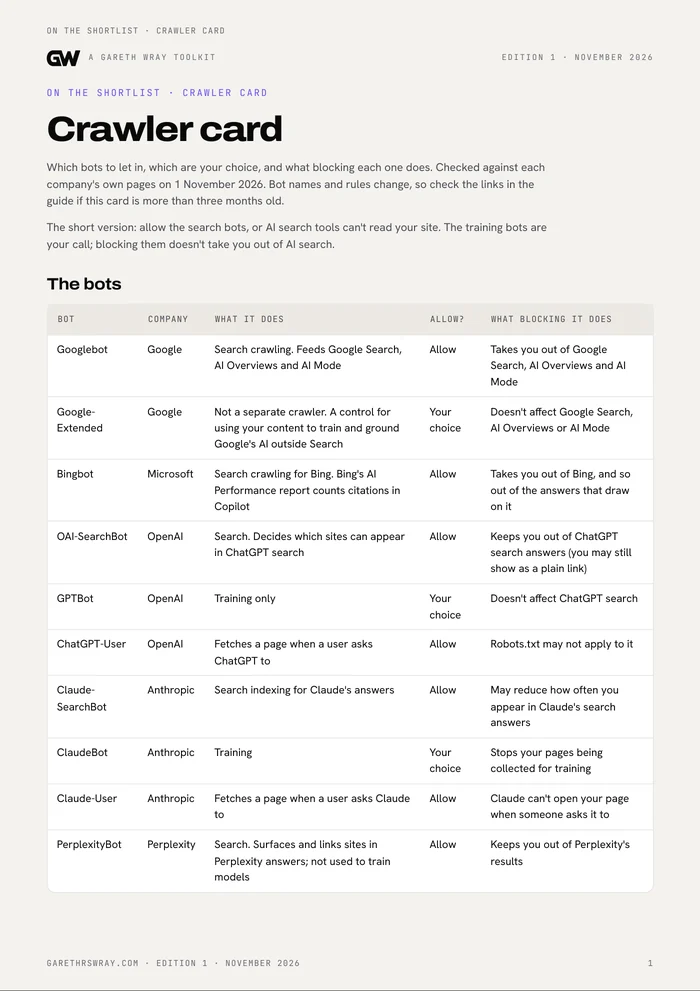
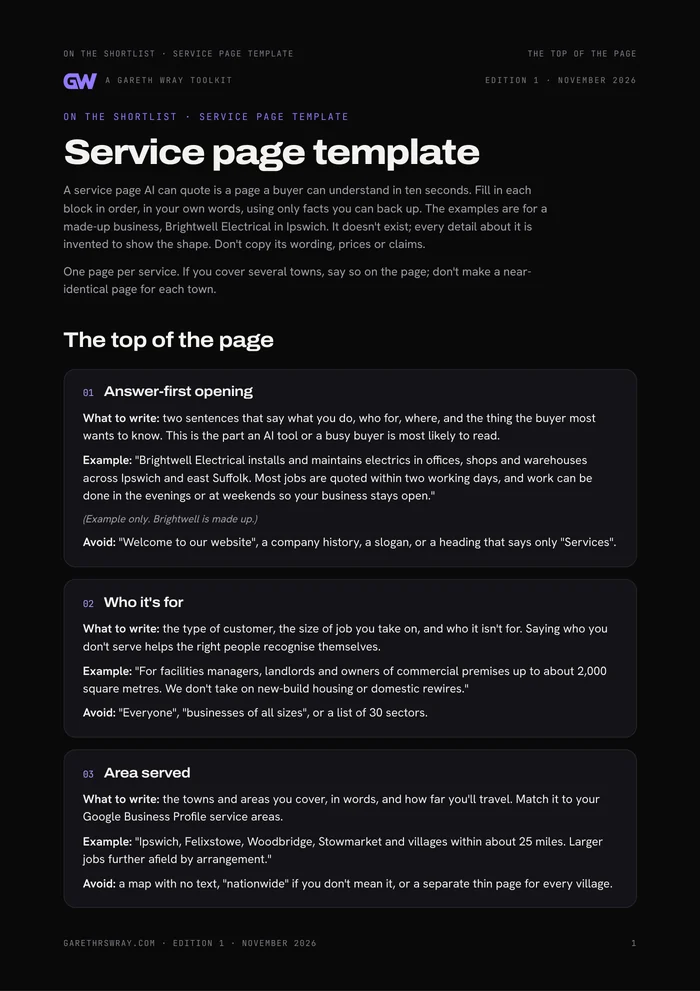
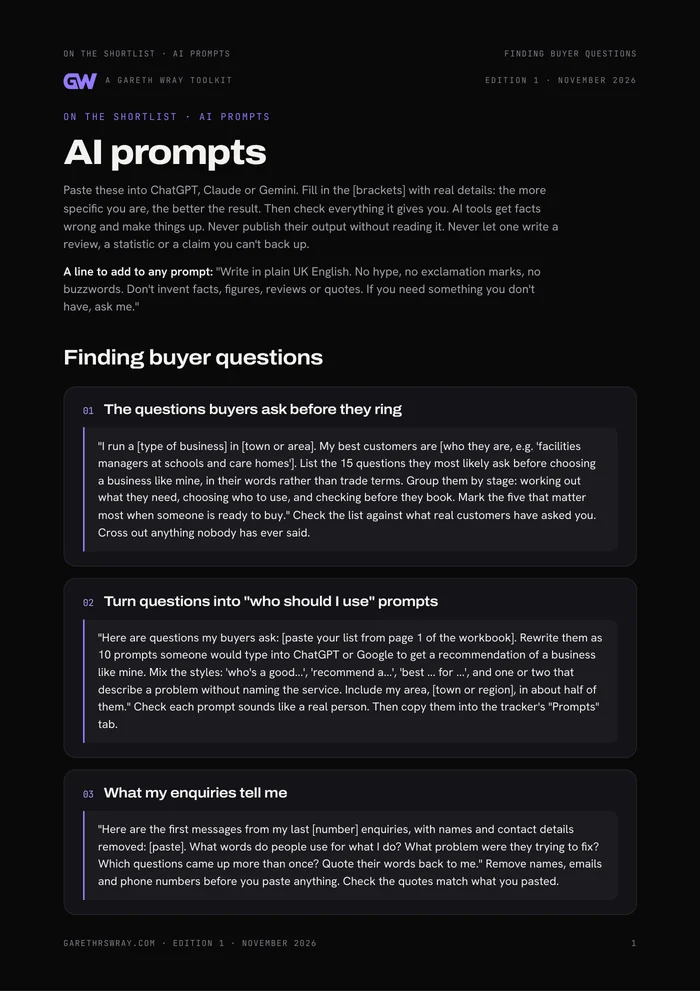
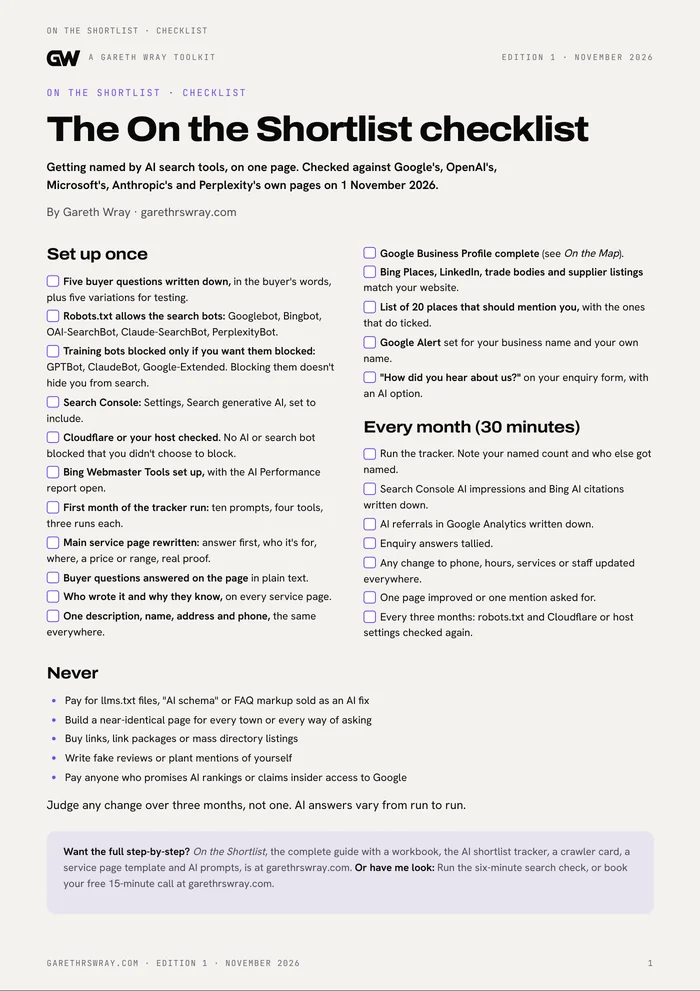
Chapters 1 to 3 show where you stand. Chapters 4 to 7 are the work. Chapters 8 and 9 keep it honest and on track.
Under each chapter: what you’ll be able to do when you finish it. Every chapter ends with a short “Do this now” list.
See why the short list an AI tool gives is the new page one, and write down the five questions your buyers ask before they ring.
Check your website lets in the search bots each AI tool uses, and that Search Console’s AI setting still says include.
Run the prompt test (ten prompts, four tools, three runs) and count how often you’re named.
Rewrite your main service page so it says what it is, who it’s for, where, roughly what it costs and why to trust you.
Make your name, address, phone and services match everywhere AI tools cross-check them.
Get named on sites your buyers already trust, without buying links.
Spot what’s sold as “AI SEO” that does nothing or breaks Google’s rules, and stop paying for it.
Track four things each month: your named count, AI visits, the Search Console and Bing reports, and what new enquiries tell you.
Get the basics right in four short weeks, then keep them right in 30 minutes a month.

Marketing consultant with 12 years in sales. I build and run websites, search and follow-up for small UK businesses, so these toolkits are the steps I use, written down. In September 2026 I tested 1,253 Suffolk firms across six sectors to see who ChatGPT, Gemini and Google AI Mode name. That method is chapter 3 of this kit.
More about meRather I did it for you? Book a free 15-minute call.
Give me your first name and the email to send it to. It’s free: no card and no trial.
The download link arrives in a minute or two, with your name on the guide and workbook covers. It works for 30 days, and you can ask for a fresh one any time.
Read the Start here card, follow the 30-day plan, then run the 30-minute monthly check with the tracker.
Tell me where to send it. The download link comes to your inbox in a minute or two, with your name on the guide and workbook covers.
Your download link for On the Shortlist is on its way to your inbox. It usually arrives in a minute or two. If it hasn’t, check spam or promotions, then email [email protected].
The link works for 30 days. After that, ask for a fresh one on the download page.
When something that matters changes, I update the files and list the change here. Your download link always gives you the latest edition.
Something else? Email [email protected] or call 07521 931159.
Every rule in it was checked against Google’s, OpenAI’s, Microsoft’s and Anthropic’s own pages on 1 November 2026, and the date is on the cover. This area changes fast, so when something that matters changes, I update the toolkit and list the change in the Editions box on this page. Your download link always gives you the latest edition.
No. The most technical job is opening one file on your website and checking one setting with your host, and the crawler card walks you through both. Everything else is writing and checking.
No, and nobody honest can. AI answers change from one run to the next, and none of the AI companies publish how they choose who to name. The toolkit covers what you control and how to measure it properly.
Owner-run UK businesses with a website and no marketing team: trades, recruiters, IT and consultancy firms, and founders who sell their own work. It isn’t for online shops chasing traffic or for SEO professionals.
Yes. It’s for you and your business, so anyone in the business can use it, and you can copy and print the files as much as the business needs. Please don’t share, resell or publish them outside it. The terms for downloads say the same.
Email me and I’ll fix it or send it another way. Your download link is in your email, and you can ask for a fresh one from the download page with the email address you used.
When something that matters changes, I update the files and list what changed in the Editions box on this page. Your download link always serves the latest edition, and if it has expired you can ask for a fresh one with the email address you used.
Yes. You give me your first name and an email address, and I email you the download link. No card, no trial. There’s a box to tick if you’d like occasional emails from me about marketing; it’s up to you, and you get the toolkit either way.
The free Helps / doesn’t help card shows what works in AI search on one page. The toolkit shows you how to do each step, with the tracker to measure it, the workbook, the templates and 16 prompts. The six-minute search check is free too, and shows whether AI tools name you today.
The toolkit is my method, written down for you to do yourself, free. If you’d rather I did the work, book a free 15-minute call and I’ll look at where you stand first.
On the Map covers your Google Business Profile in depth. On the Shortlist covers being named by AI tools across your website, your details elsewhere and what others say about you. It points to On the Map for the profile itself rather than repeating it.
Seven PDFs and one spreadsheet. The tracker works in Excel and Google Sheets, and the workbook fills in on screen or prints. Your name is on the guide and workbook covers.
Free, 15 minutes, no pitch. I’ll search your business before we speak.
Free call with Gareth
15 minutes · Google Meet
Pick a day
Pick a time
Loading free times…
No free times in the next three weeks. Email [email protected] and I'll find one.
The invite with the Google Meet link is on its way to your inbox. I'll look you up before we speak.
Need to move it? Use the link in the invite, or email [email protected].
Rather talk now? Call 07521 931159 or email [email protected].
 Pick a time
Can I use Google Analytics cookies to see which pages help? Nothing is set unless you say yes. How I use them